

The DSM cloud solution from Synology is a platform for data storage and professional collaboration. This includes cloud solutions for businesses such as file management and mail clouds. With LOX24, it is possible to receive SMS notifications when errors are detected in the software or when certain processes are taking place.
Setting up SMS with Synology DSM
In this tutorial, we want to explain to you how to make the necessary settings in Synology to receive SMS notifications about certain events.
Login
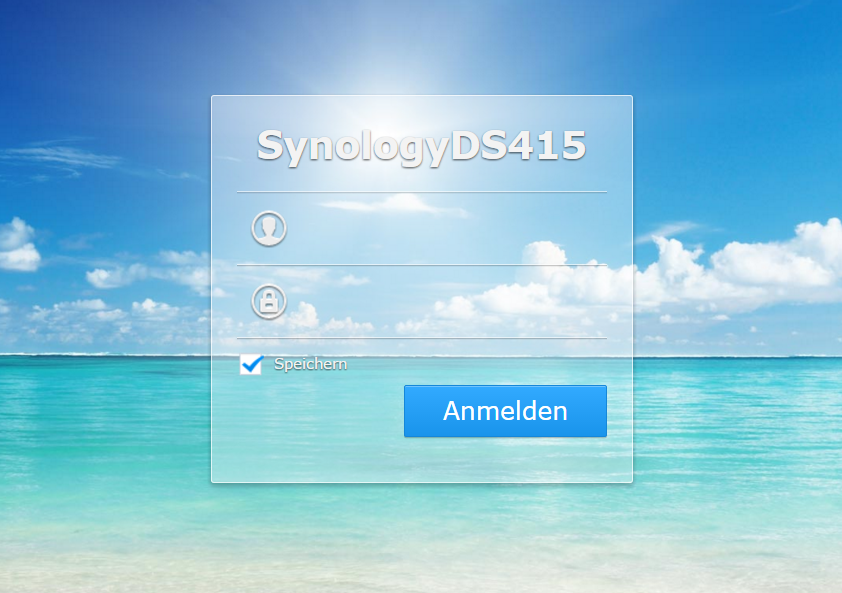
Log in to your Synology DSM. You usually find the system via an address like http://ihr-server:5000/, where your server can also serve as your IP address. Then log in with your login details:
Call up the settings
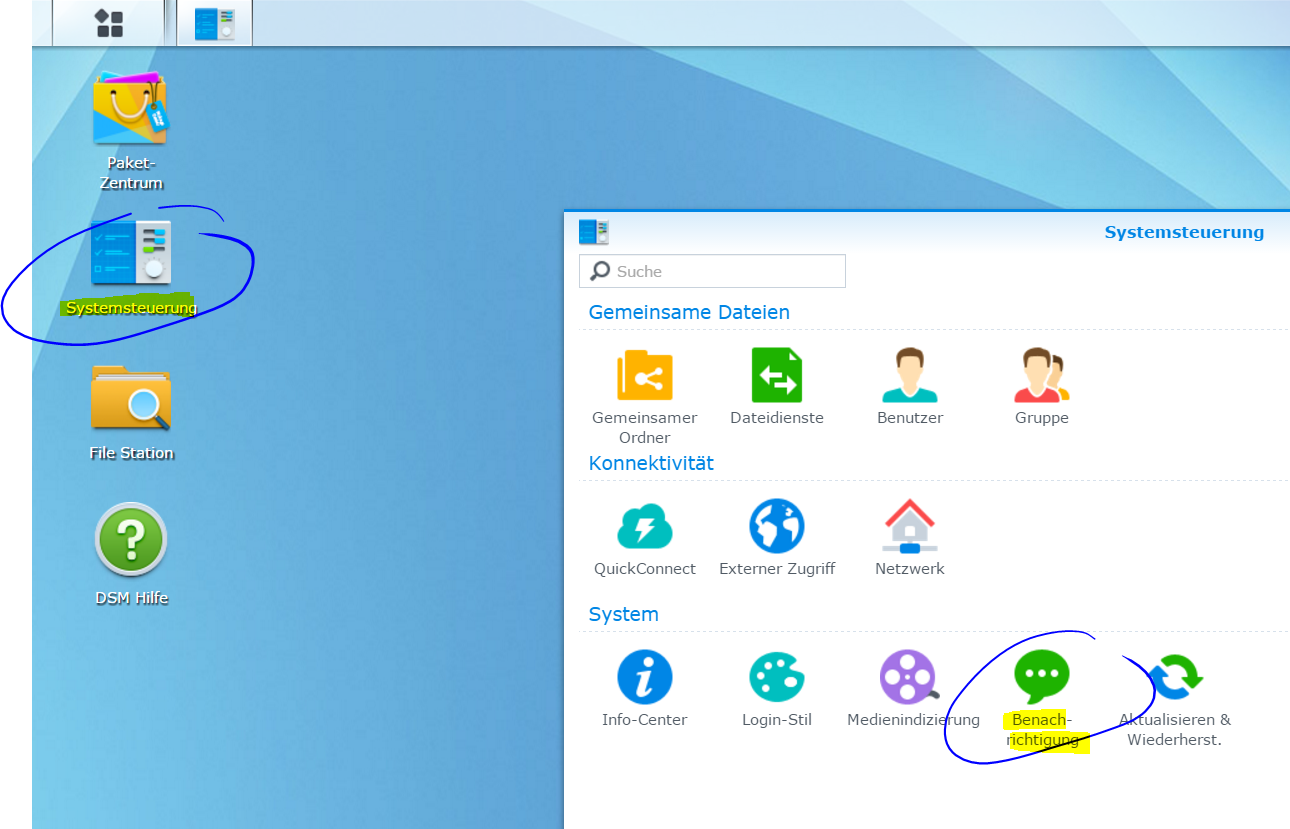
Next, open the System Control Panel and there, the notification settings:
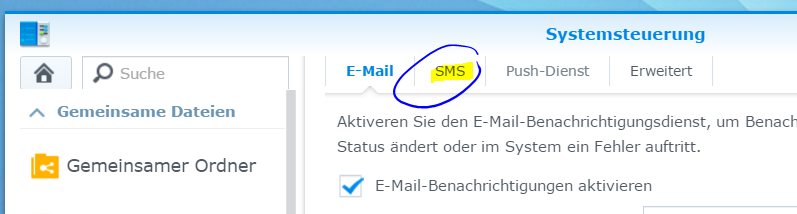
There, you switch to the SMS tab to set up a new service:
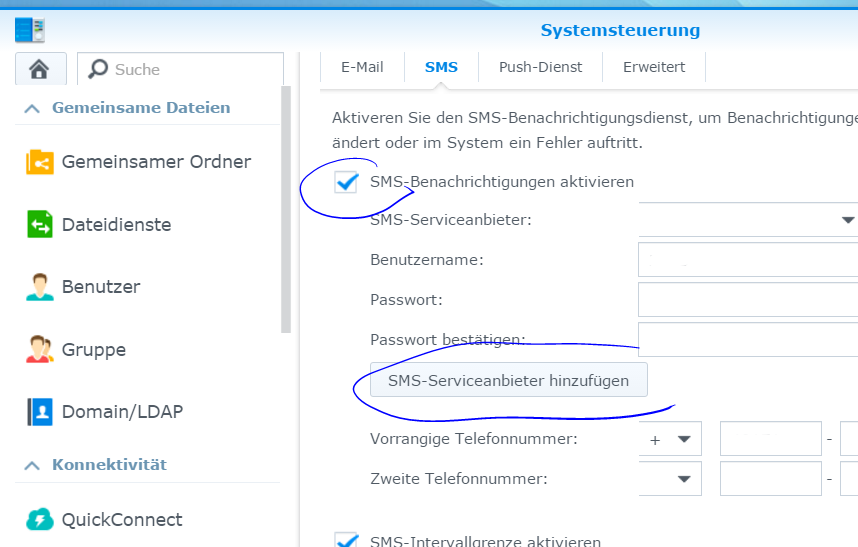
Click on the box labeled „Activate SMS notifications“ to enable the reception of SMS notifications there. Then click on the button labeled „Add SMS service provider“:
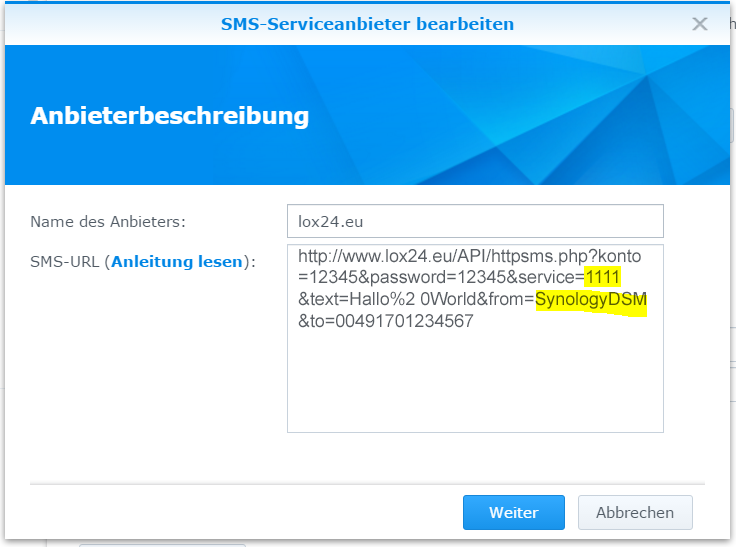
Now enter „LOX24“ as the service provider name and the following SMS URL: ../../API/httpsms.php?konto=12345&password=12345&service=1111&text=HelloWorld&from=SynologyDSM&to=00491701234567
The parameters for the account and password are set directly by Synology in the next step. However, you must already set the parameters for the service and sender identification correctly here. You can find the service ID for the respective SMS tariff plans Basic, Economy, Pro and Direct in your account in the dashboard.
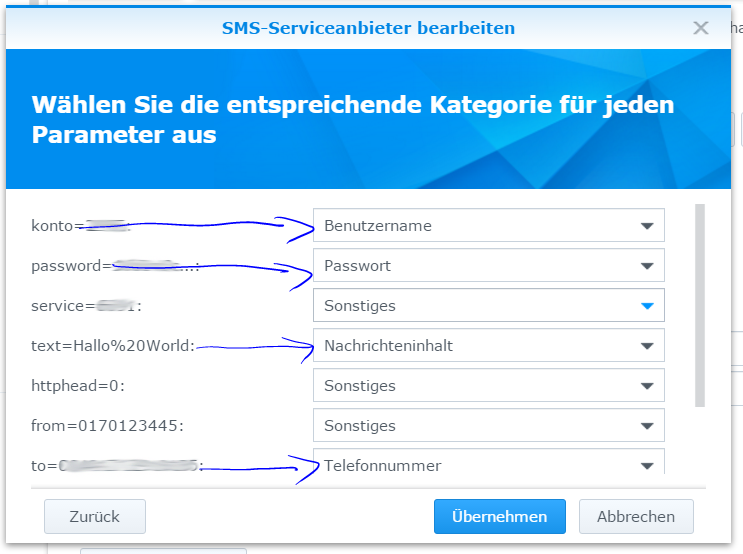
In the next step, you explain to the system which parameter of the URL stands for which value of the software. The parameter account corresponds to the username. The parameter password corresponds to the API key (Web account settings, API settings). The parameter text corresponds to the message content. The parameter to corresponds to the phone number. All other parameters (if used) are optional.
- account=12345: Username
- password=12345: Password (API Key v)
- text=HelloWorld: Message content
- to=00491701234567: Phone number
In the next window, you now enter your correct login details for LOX24. In the "User name" field, enter your customer ID (customer number), which you also use to log in to your account. In the Password field, enter your API Key v1. It is important that this is not the same password as for the login on our site; instead, you can create the API Key v1 in your web account under Settings and API Settings.
In „Primary phone number“, enter the number that the caller should be directed to.
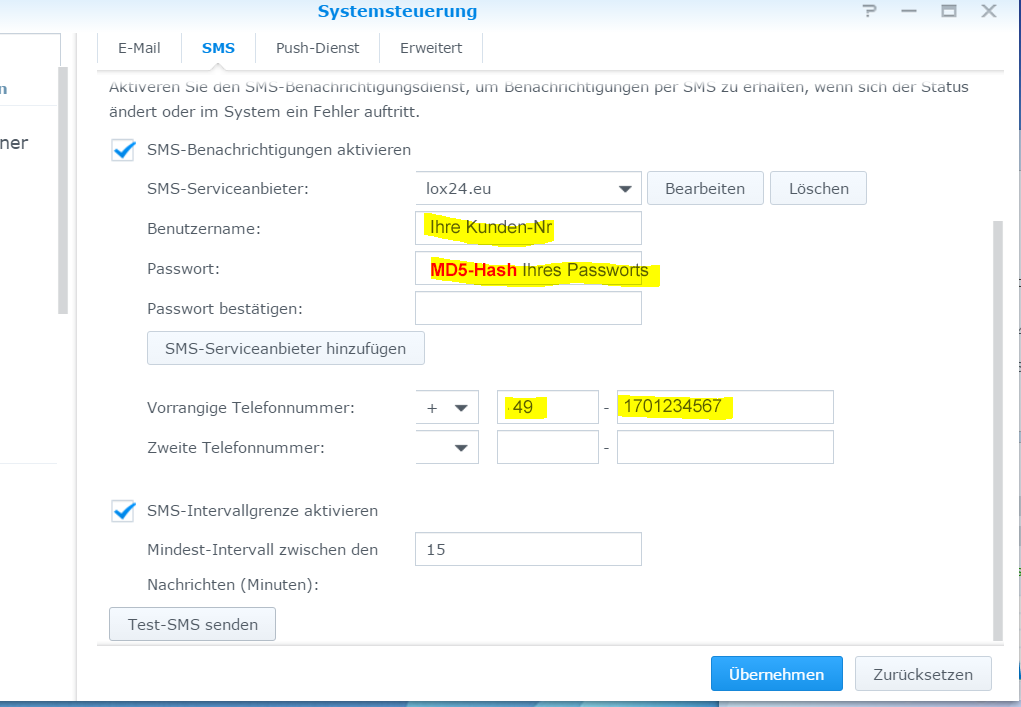
You can now send one more test SMS. To do this, click on the „Send test SMS“ button. If you do not receive a SMS, check if the SMS appears in the mailbox in your account on our website. If the SMS does not appear there, check again if you have entered the correct service ID in the URL. The customer number is correct and the API key was entered in v1.
To save everything, click „Save.“.
