




Problem
Windows PowerShell is a framework from Microsoft that includes a command line shell and a scripting language, but no SMS function.
Solution
LOX24 offers you a ready-to-use script „out of the box“ to send SMS worldwide directly from the PowerShell.
Result
You can use PowerShell to receive SMS notifications about the status or result of your scripts, send alarms or warnings about critical events and much more.
How to send SMS with PowerShell
- First, you must set the ExecutionPolicy to Bypass if you have not already done so. This will enable you to import our SMS script.
- Start Powershell as administrator. To do this, search for „powershell“ in the Windows taskbar, right-click the result and select „Run as administrator“.

- Now enter „Set-ExecutionPolicy -ExecutionPolicy Bypass“ in the command line
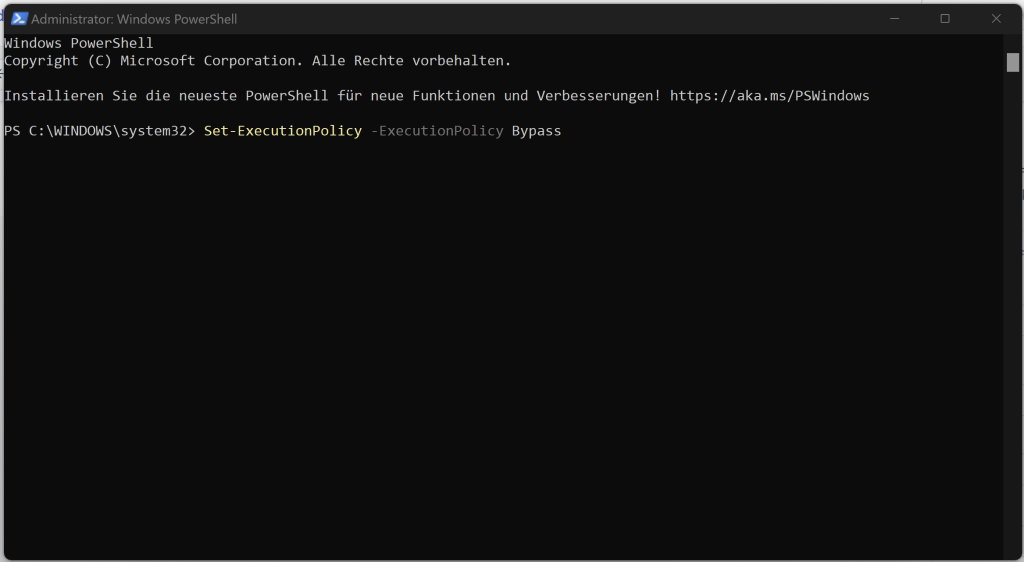
- Select y for yes

- Next, download our script as a zip file. Unpack this in a directory of your choice. (Download: PowerShell SMS)

- Copy the directory path of the unzipped folder as text.
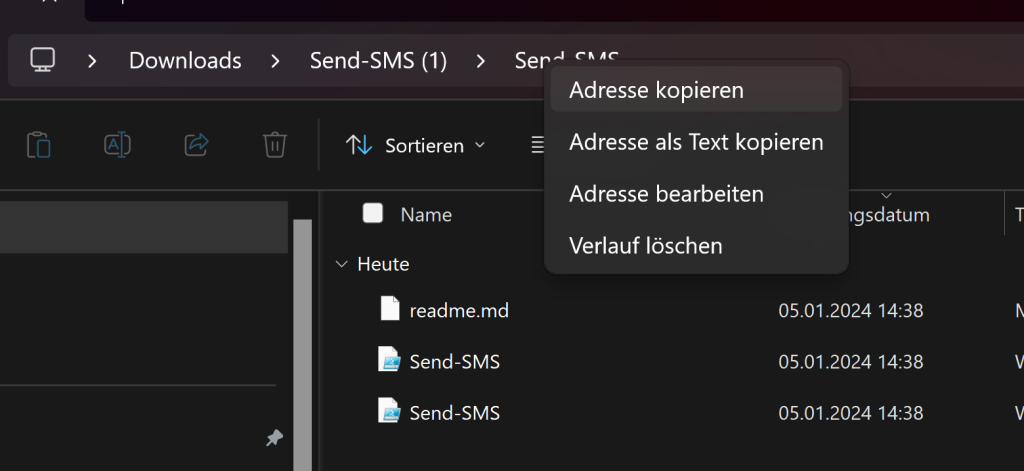
- Use a CD and the directory path to navigate to the folder of our SMS script in PowerShell

- Next, you need an API key. Log in to your web account at https://account.lox24.eu/index.php?page=settings&action=api. Create an API v2 key there.
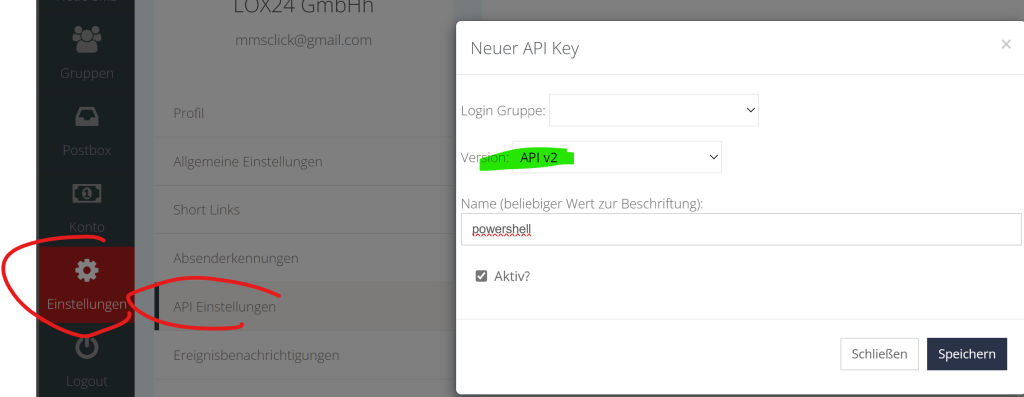
- Now copy this API key into the PowerShell and set it with the following command: Set-Lox24ApiKey -ApiKey „YourApiKeyHere“

- And then you can send your first SMS. The SMS always has the destination number, the sender ID of your SMS (max. 11 characters of text or 15 digits of phone number) and the SMS text as parameters: Send-SMS -To 491700000000 -From „YourCompany“ -Message „Test SMS from PowerShell!“


Advantages of sending PowerShell SMS with LOX24
The LOX24 SMS API is a powerful and reliable solution for sending SMS messages. With the LOX24 SMS API you can connect your PowerShell to the LOX24 SMS Gateway and send SMS to your customers, partners or employees worldwide. The LOX24 SMS API offers you the following advantages:
- You benefit from high availability, quality, and speed of SMS transmission.
- You pay low prices without fixed costs or hidden fees.
- We fulfill the requirements of German data protection law, as all servers are located in Germany,
- You receive real-time statistics and delivery reports for your SMS messages.
The LOX24 SMS API is therefore an ideal choice for anyone looking for a simple, secure and cost-effective way to integrate SMS messages into their applications. If you would like to learn more about the LOX24 SMS API, you can take a look at the following resources: SMS API